
Troubleshooting version control for Store Remote State (AWS)
Terraform Cloud is a great way to collaborate securely with others by storing your state remotely:
Terraform Cloud allows teams to easily version, audit, and collaborate on infrastructure changes. It also securely stores variables, including API tokens and access keys, and provides a safe, stable environment for long-running Terraform processes.
HashiCorp Learn
The code block for cloud storage is as follows:
terraform {
  cloud {
    organization = "<ORG_NAME>"
    workspaces {
      name = "Example-Workspace"
    }
  }
The Terraform cloud block has been integrated since v1.1.0 so if you’re using a previous version you will come across this error:
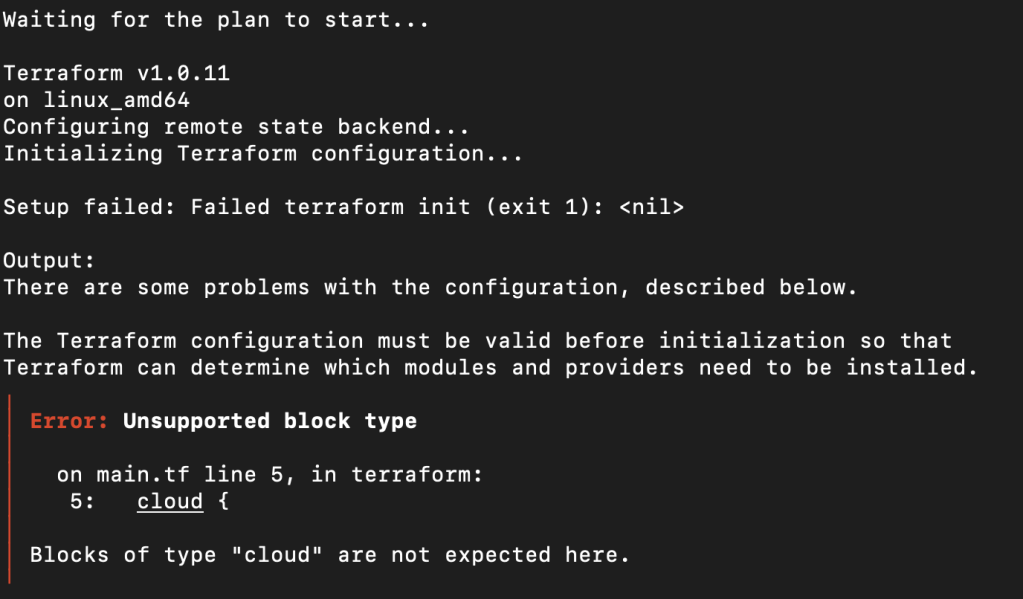
Notice on the third line it shows the version that your machine is attempting to work from: v1.0.11. Even if you have successfully updated (check using the command: terraform --version).
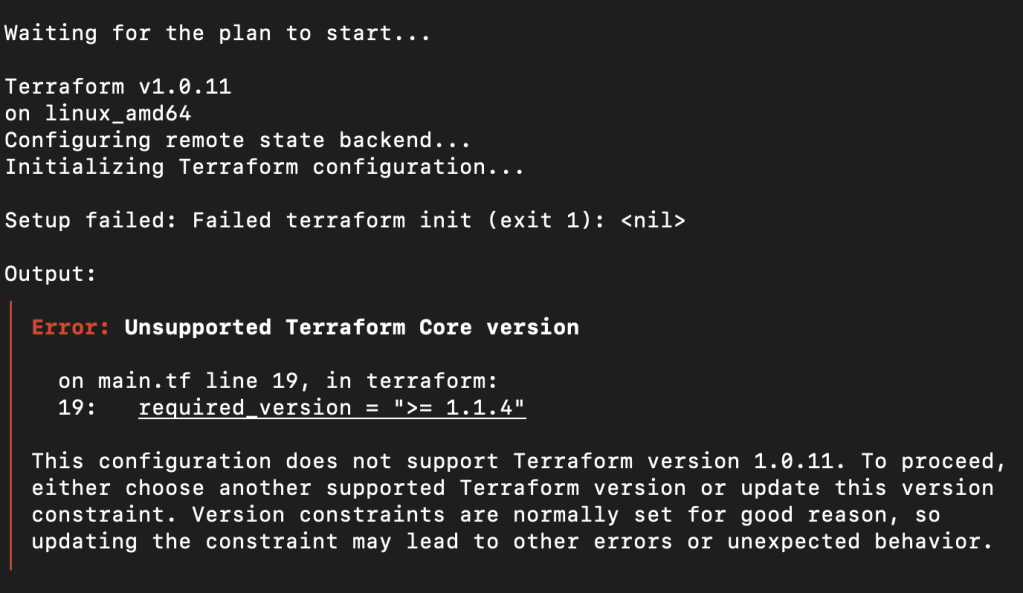
At the time of this posting v1.1.4 is the current version. Please note the third line again showing that Terraform is getting its version from somewhere else and not the local machine I’m working from.
Issues with this error popping up even after I’ve updated Terraform made me refer to the version control rules that were acceptable:
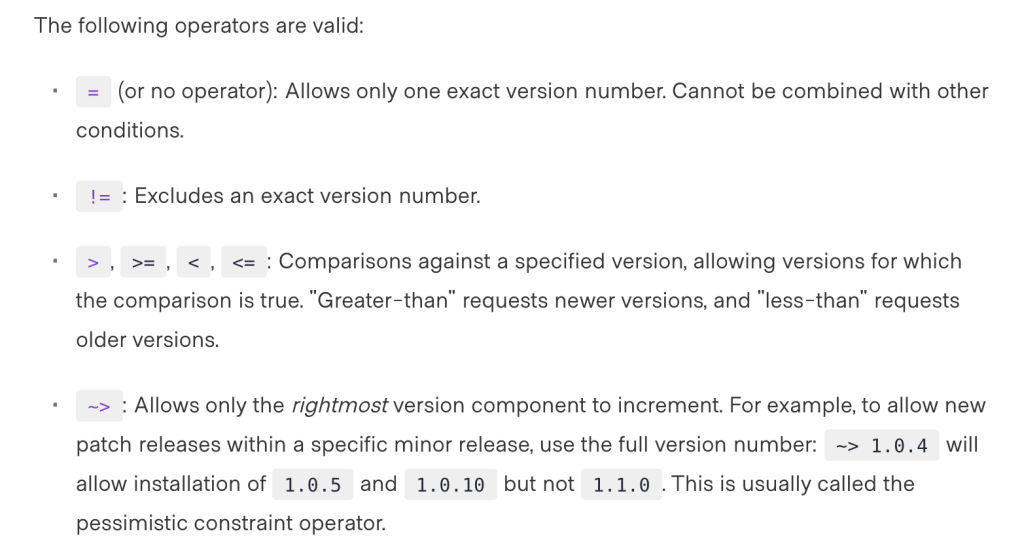
I eventually went through other .tf files that might have been affecting which version Terraform was working from, until I realized I was still working in Terraform Cloud since that’s where I moved my state (meaning that it is no longer local to my machine).
When you’re logged into Terraform Cloud, make sure to go to the workspace that you’ve connected to your project.
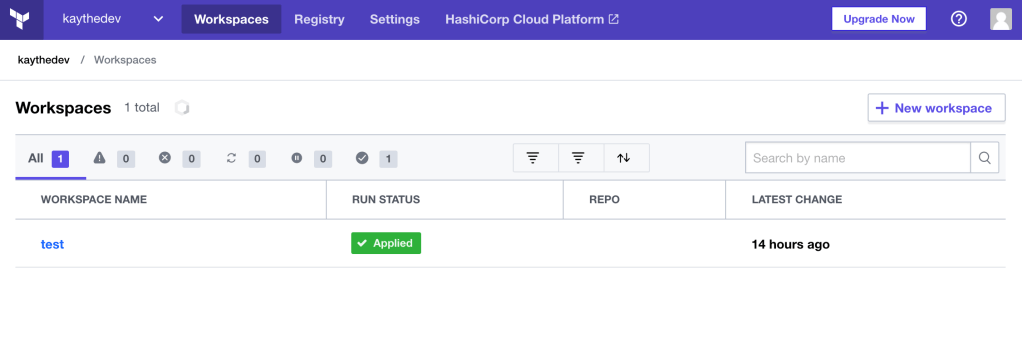
Once inside the workspace, in the top right you can see the version that is set for your workspace.
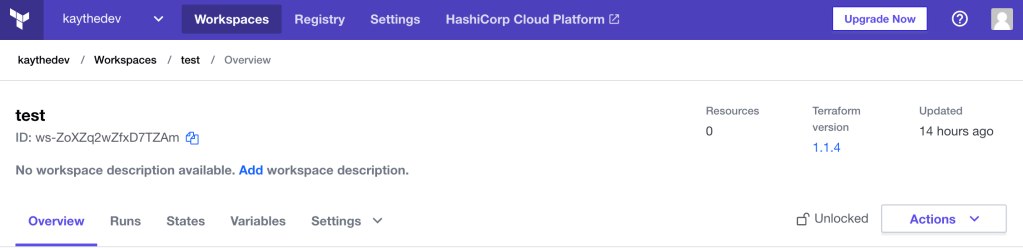
Click the that and you’ll see a drop down menu.
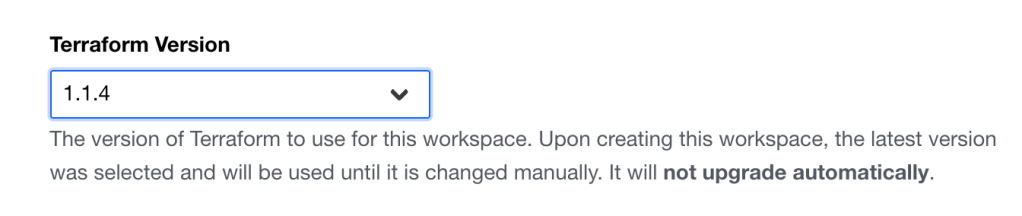
Once you set it to an acceptable version (v1.1.0 or higher) be sure to scroll to the bottom and save your settings.
Afterwards, you should be able add the cloud block to your infrastructure and proceed as normal.
*Special note: I am working from MacOS and using AWS as the provider.
 Kay: Learning Security in Technology