
But not before experiencing technical issues…
On February 26, 2021, I was prepped to take the CompTIA Security+ exam at 5:45 AM at home. I made sure to go over those concepts that I wasn’t to sure about until I was confident well before, but especially that week of the exam. I set my alarm for 4 AM because why not? I’m always up early anyway so this time in the morning wasn’t really a big deal. An hour before my exam I went ahead and did a systems check to make sure everything was green; it was. I was a bit nervous, but felt more than ready to take the exam, so for a couple of minutes I just ate something small, drank some water and constantly watched the clock so that I could check in at the recommended 30 minutes before.
Everything seemed to be working like normal; you know, green and all.
If you’re taking the exam at home, just know it’s fully proctored by OnVue, Pearson’s proctoring software, so you have to install their software and let them “take control” of some things on your computer of choice. Understandable. I had to take pictures of my workspace; left, right, front, back of my where my computer was, get your ID loaded, and take a picture of yourself for verification purposes. OK, it’s really happening. I can see myself in the little camera window staring at my screen.
I get put into queue and wait in line to get to the proctor. Can’t back out now (not that I wanted to!). So now I’m up and I wait for verification. And I wait, and wait. And wait oh god, oh fuck, they’re gonna revoke my test because I did something wrong.
Nope.
A little chat window pops up and the proctor greets me then asks if my camera is live. “It is.”, I type back. And this is where my technical woes begin.
Did I mention that I was taking the exam on a Mac? This is important for later.
She says she isn’t able to see me on her end. Oh. “Please disable your firewall”. OK, no problem, I can see how that can cause an issue so I did. But she still can’t see me. She went on to do something on her end and a thing popped into my head that I did have a proxy running for a project I was doing. So I asked her if that could be an issue and asked for *permission to open my browser to disable it. Done, but still not resolved. I got disconnected, re-queued, several times with no communication in between. At this point I was getting frustrated because no one was saying anything. Finally, she asked me to restart, so I did. Nothing like a good ole “turn it off and on” to fix these issues.
Still nothing!
At this point it has been about an hour past my exam start time trying to figure this out. It eventually led to having my exam cancelled, which forced me to reschedule.
I. was. PISSED.
This was not my fault, as I saw their system requirements and met them AND I got confirmation from their systems check that I was good to go. What went wrong?
I was determined to take the exam the day I scheduled it. If that meant that was going to later in the day, then fine. I didn’t want to lose the confidence I had mustered this whole time planning for this exam. I immediately went to reschedule, but found that the remaining days left had been filled. I remembered when I first scheduled that people opt out frequently, so refreshing would probably make a new time available. I tried this for about 10 or so minutes and eventually got a new spot at 2:00 PM. Now I had about 6 hours to get this software working.
So what the hell went wrong?
It’s the OnVue software. I don’t know the very technical specifics but Mac compatibility was definitely an afterthought when putting it together. These days, with almost all software downloads, Mac requires that it requests permissions. I noticed that didn’t happen after installing OnVue. I went to check my settings and it already had access to my camera, microphone, input, and full disk encryption. It was also supposed to have access to “automation”, but it was no where to be found and wasn’t possible to add. This was expressed in different forums with much frustration from others trying to figure out the same issues.
I eventually found a resolution! And this was about 3 hours before my exam. The following command forced OnVue to get the proper permissions it was missing (this command was from 3 years ago):
open -g /Applications/OnVUE.app/Contents/MacOS/proctorapp
I had to adjust mine to this:
open -g /Downloads/OnVue.app
Adjust according to where you downloaded the program.
The ‘-g’ flag will open the OnVue application in the background so that it doesn’t interfere with whatever else you’re doing.
This will pop open OnVue and take you through the setup process that you most likely went through when first installing it. Make sure you go through with this setup running on your terminal all the way because this time it’s asking for proper permissions that include the crucial “automation” one. If you go through with the system check again, it will probably say everything is still green; this isn’t a good indicator that you’re all set. Go to your System Preferences and make sure that OnVue has access to the following:
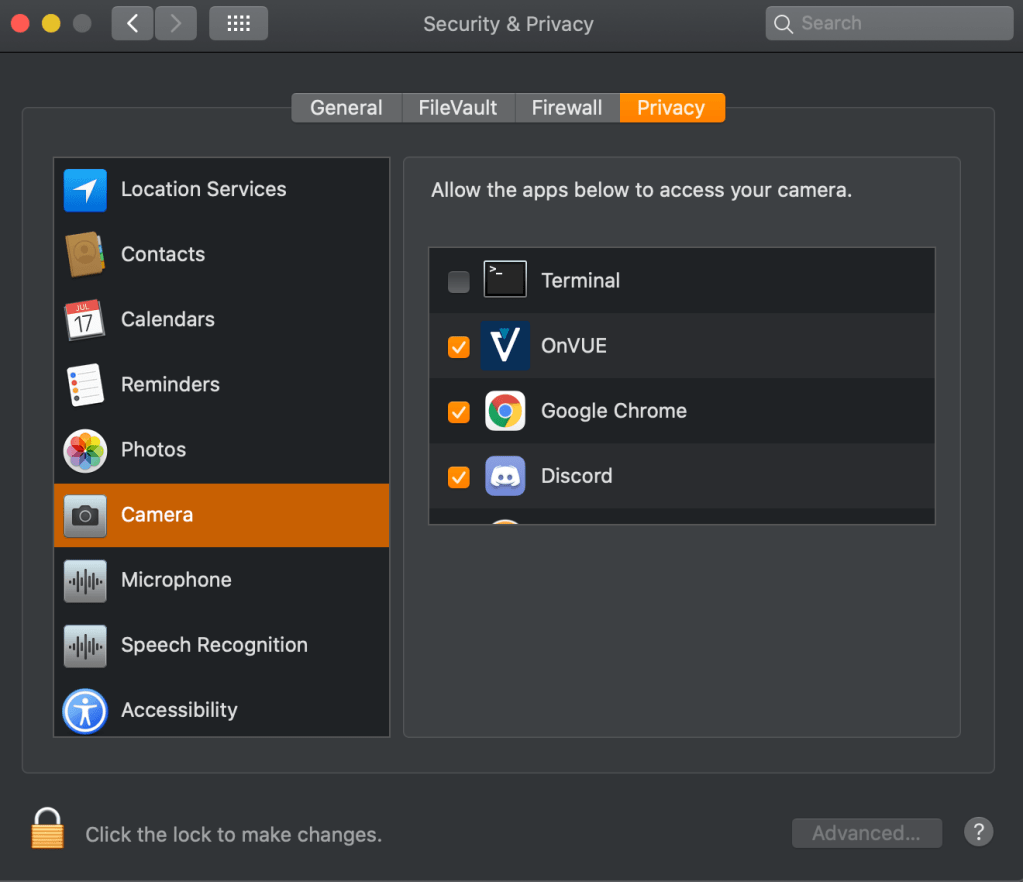
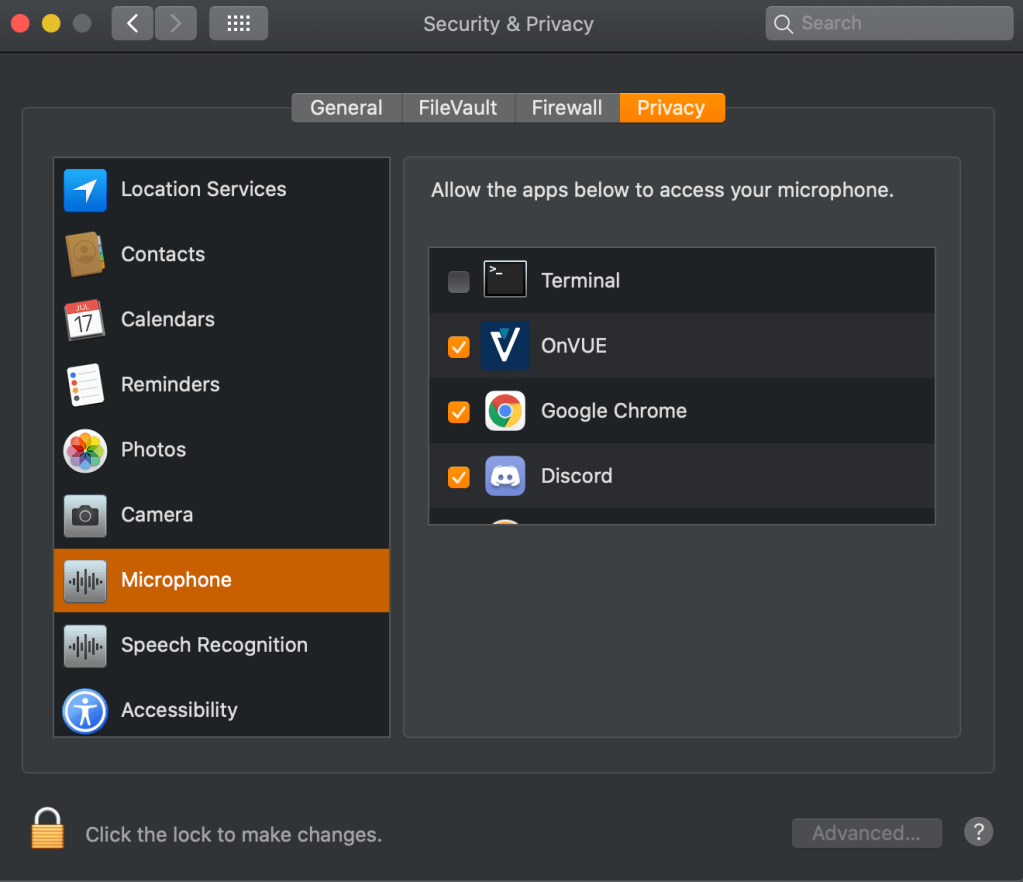
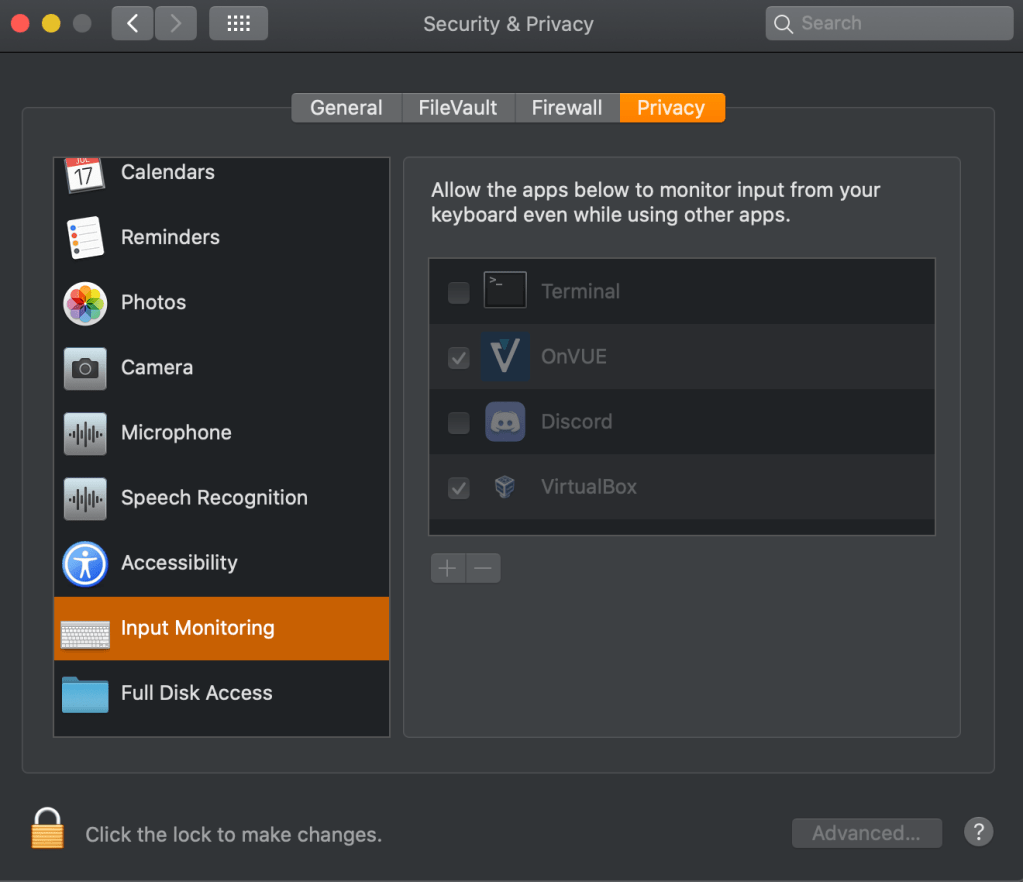
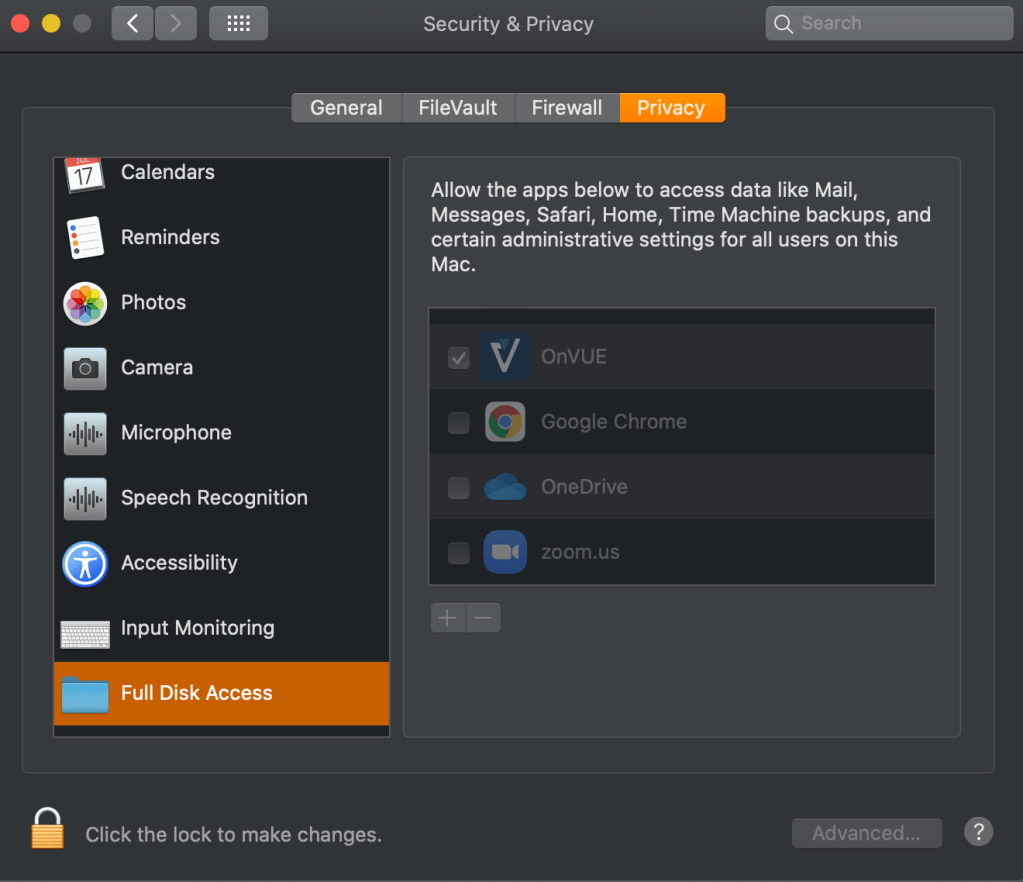
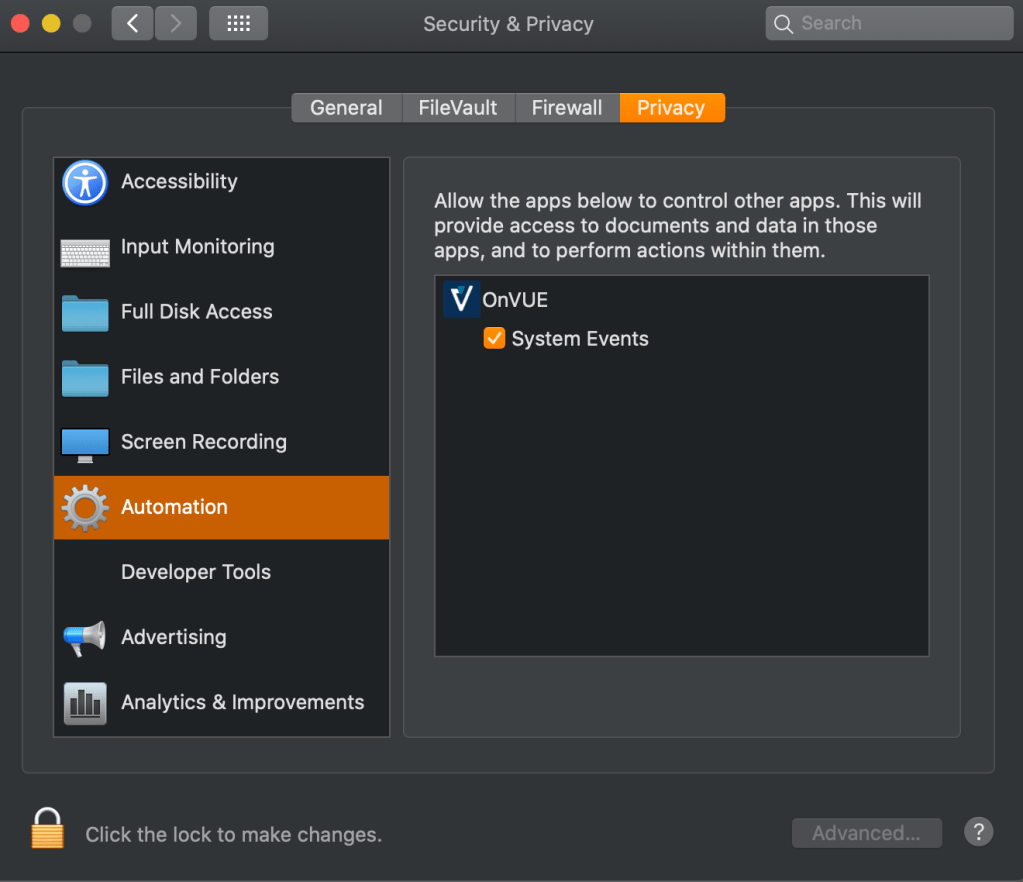
After I confirmed these settings. I just had to wait until I could start the exam process again.
By the time that rolled around, I went through the entire process again and got the queue; everything working like normal until it was my turn for verification.
And it worked! It was a little janky doing the performance based questions that had you do drag and drop, but ultimately I was able to take the test with no further issues. After all that frustration, I was able to keep it together and passed the Security+ exam.
If you plan on taking the exam on a Mac, just know it’s possible and hopefully don’t give up! Use this solution I found and check the permissions noted above and be confident your system’s check is green.
*A note: Throughout troubleshooting, I asked permission for EVERYTHING as not to disqualify myself from taking the exam. If you’re in the verification process, DO NOT do anything on your computer before asking permission. Don’t disqualify yourself trying to fix it even if you know how to fix whatever issue you night have!
Link to original solution: https://discussions.apple.com/thread/250571611
 Kay: Learning Security in Technology